
Designer Dark Mode Module
A dark Ignition Designer, from one item in the Tools menu
Free, open-source dark mode for the Ignition Designer, on 8.3 and 8.1. One toggle restyles the whole window, dock panels, trees, tables, menus, the Perspective palette and property editor, the tag browser, the script editors and the output console, then puts it back exactly as it was when you switch off. Your choice survives the next launch.
Free and open source · Apache-2.0 · Ignition 8.3, or 8.1.33 and newer
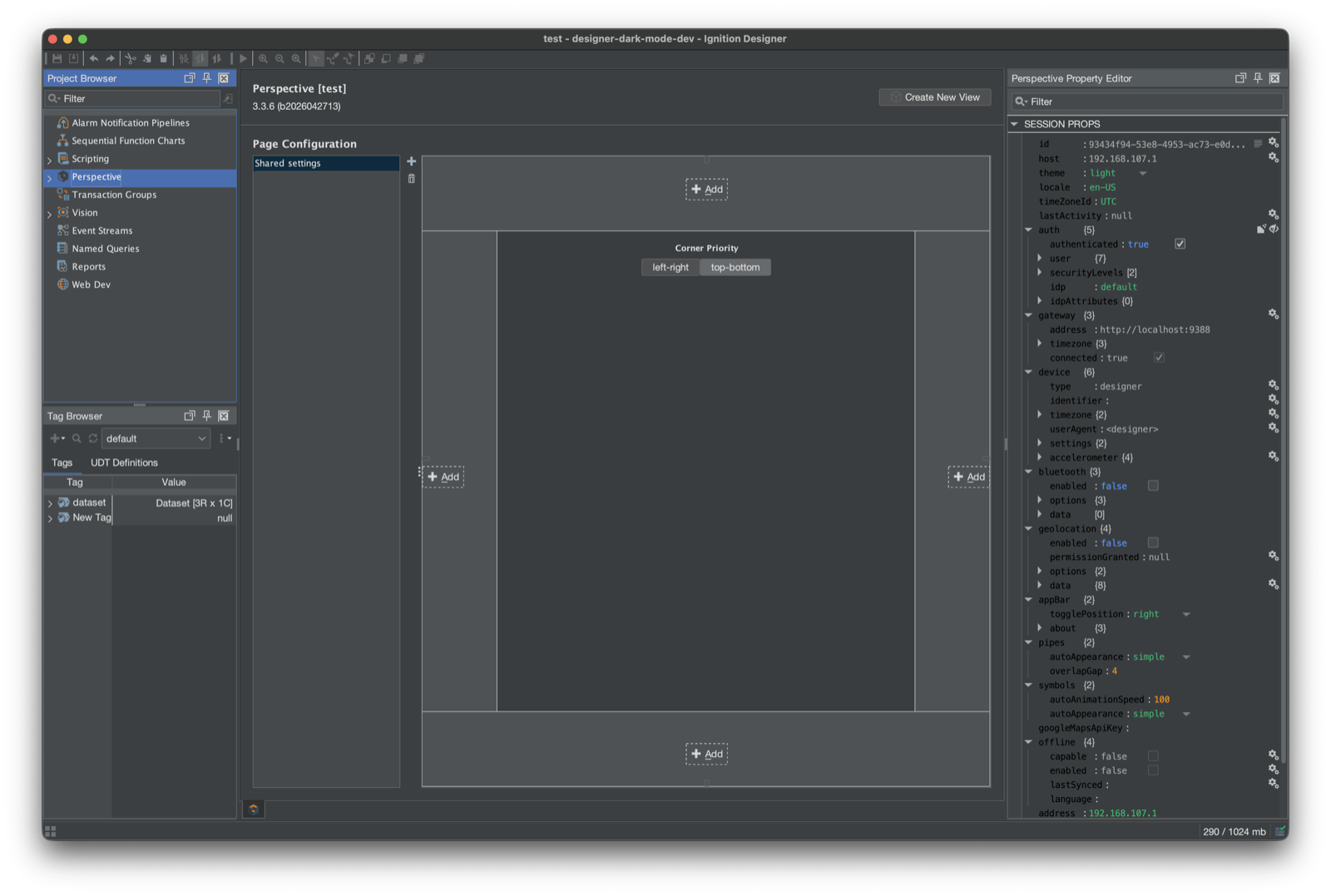
One menu item, the whole window
Drag the handle, or hit the toggle, to compare. Same project, same window. The only difference is Tools then Dark Mode.
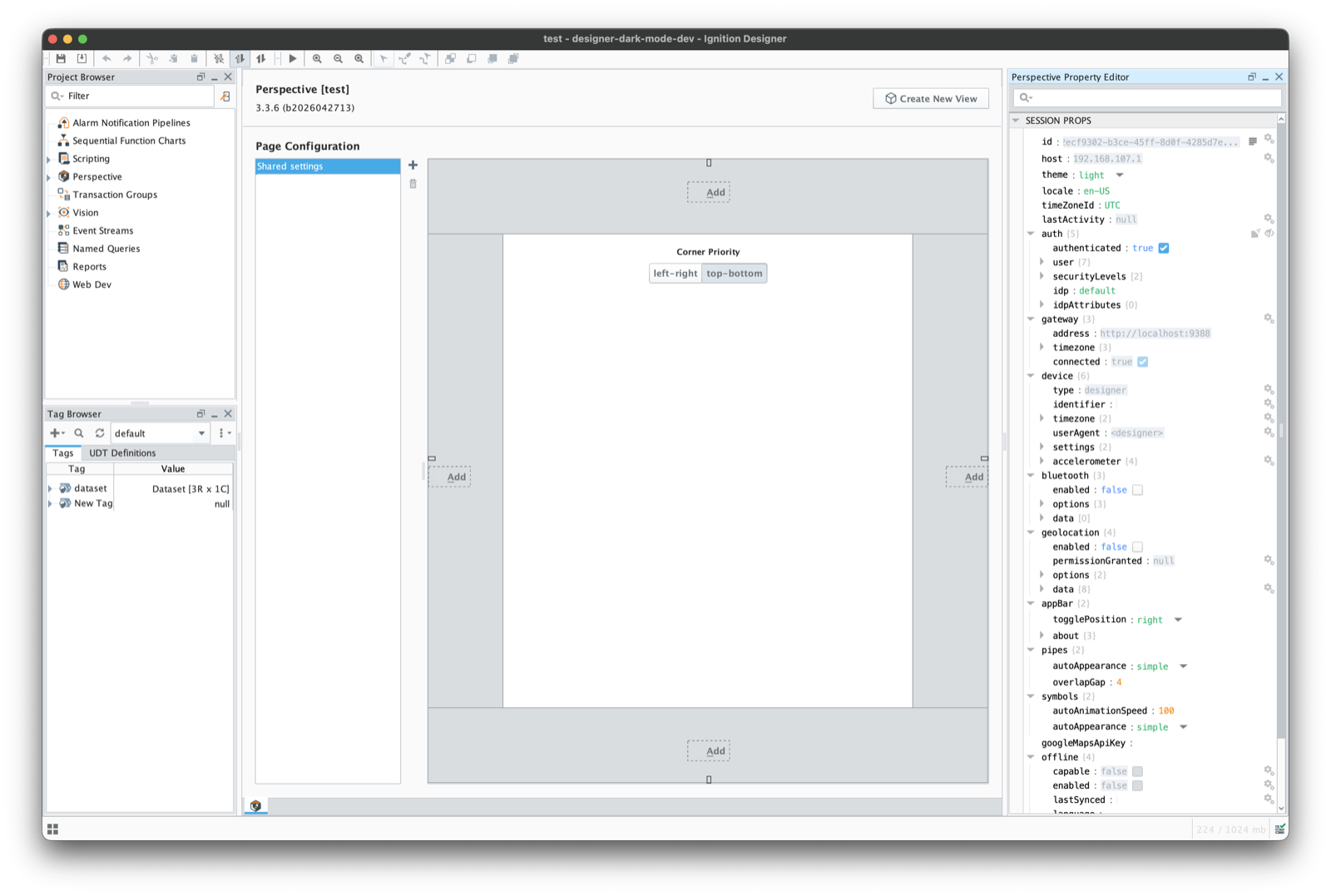 Dark mode offDark mode on
Why it is a module
One install, every project
It lives on the gateway, so every Designer that connects gets the menu item. Nothing to import per project.
It reaches what a theme swap cannot
Ignition hard-codes many colours and paints docks, trees and tables outside the normal component tree. The module rewrites those too, so panels nobody listed still come out dark, and switching off restores the original colours.
Signed, tested, free
Signed releases, tests on Windows, macOS and Linux, and Apache-2.0 source on GitHub. No trial, no activation, no per-gateway fee.
What you get
A dark Designer is the most-requested Designer idea on Inductive Automation's ideas portal, and Ignition still ships only a light theme. This module adds one: FlatLaf underneath, Ignition's own dark syntax theme in the script editors, and Perspective, Vision, scripting, tags, reports and pipelines all dark. Tools also gets an About entry showing the installed version.
Vision: dark in the Designer, light in the client
Dark mode works in Vision, and windows you save from a dark Designer are the same as a stock save, apart from a few details listed in the README. The catch is the canvas: in a dark Designer, Vision components show dark colours, while a Vision client is always light. If you design mostly for Vision and want the canvas to match what operators see, use the Exchange script below.
The Exchange script, and when to pick it instead
Justin Edwards' Dark Mode for the Designer is a Jython script on the Ignition Exchange. The script is imported per project and paints components one class at a time, which keeps Vision canvases looking like the client. This module installs once and swaps the whole look and feel. Don't run both. While the module is installed it greys out the script's checkbox. To stop the script, remove the project's designerPatch Vision client tag, and relaunch the Designer if its checkbox was already ticked. His catalogue of where the Designer leaks light shaped our testing, and we're grateful for it.
Found something that stayed light?
Open a GitHub issue. Things that stay light on purpose: the Perspective view canvas (it follows the session’s theme), Symbol Factory thumbnails, and the title bar on Windows and Linux. Reports from Windows and Linux are especially welcome, since we check by eye on macOS.
To make a report useful, hover the spot with dark mode on and press Cmd/Ctrl+Shift+I. The module writes what it found to ~/.ignition/designer-dark-mode.log. Paste the log with a screenshot.
Installing it, start to finish
- 1
Download
Get designer-dark-mode-8.3.modl from the latest GitHub release, or designer-dark-mode-8.1.modl for an 8.1 gateway. No account, no licence key.
- 2
Install
Config, then Modules, then Install or Upgrade a Module. Accept our signing certificate once, on first install.
- 3
Turn it on
Relaunch the Designer and pick Tools, then Dark Mode. The next launch remembers your choice.
Needs Ignition 8.3.0 or newer, or 8.1.33 or newer on 8.1, Maker Edition included. It only changes your Designer: no tags, no scripting functions, nothing for Perspective sessions, Vision clients or other users. To upgrade, install the newer file. To remove it, go to Config, then Modules, then Uninstall. Relaunch the Designer after either. After moving a gateway from 8.1 to 8.3, install the 8.3 file.
Get Designer Dark Mode Module
Designer Dark Mode Module is free and open source. Grab the latest signed module from GitHub releases.